


















Features
Everything the signature does.
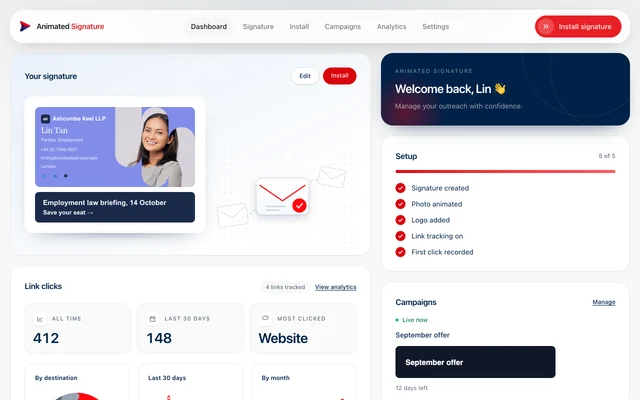
Nothing on this page is a plan for later. It is what the builder does today, and each line is something you can go and see for yourself in the free month.
Building it
A design, your photograph and the way both are coloured and set.
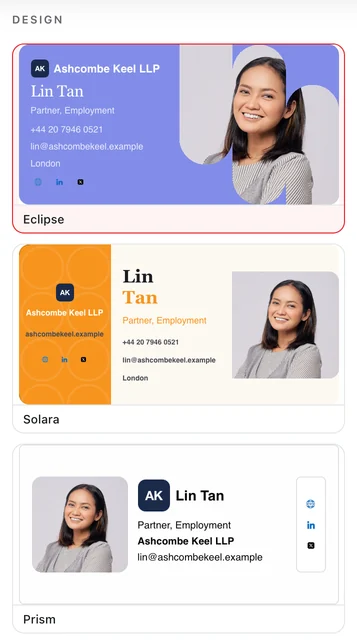
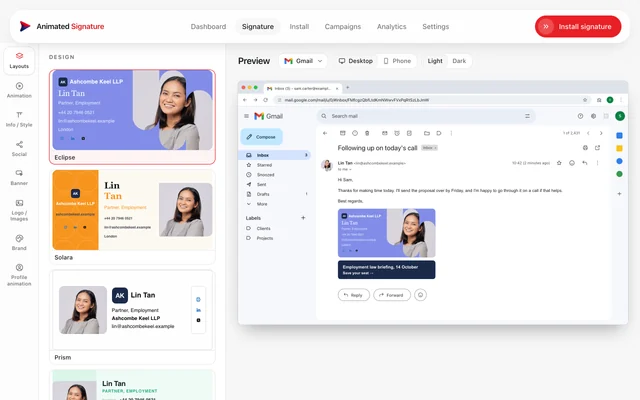
Ten designs, swapped in a click
Every design is drawn at 320x160 so they are interchangeable in an email column, and your details carry across when you switch.
- The picker draws each layout for real, with your own details
- Light and dark colour sets on every design
- One portrait design for a narrower column
Your photo, animated in your browser
The animation is rendered from your original file in the tab you upload it in. Nothing is sent away to be processed and no render queue stands between you and a finished signature.
- Rendered at twice the size it is drawn, so it stays sharp on a phone
- A design carries one motion, chosen to suit its layout
- A still fallback for every animation, built from the resting frame
Brand, type and colour
Your palette applies across the whole design, and any field the design opens up can take its own weight, size, italic and colour.
- Ten fonts, all of them already on the reader's machine
- Per-field styling where the design allows it
- A field that must hold one line shrinks to fit instead of being cut
Up to five social networks
Ten networks to choose from, five drawn at once, because the card was drawn with five and a sixth would not fit.
- Icons drawn to match each design's own surface
- An icon that is switched off is removed, not left blank
- New networks start switched off, so a pasted signature never changes shape
Putting it to work
The part of a signature that asks the reader for something.
A banner under the card
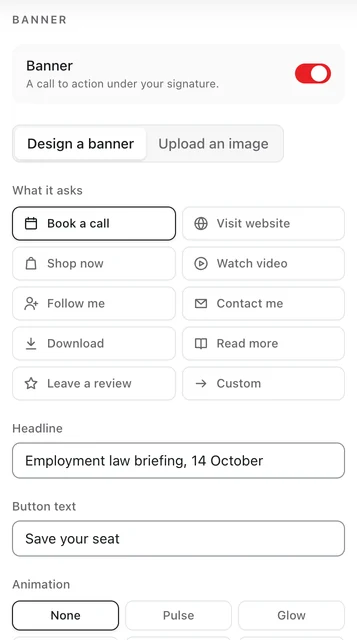
Design one from your own words and colours, or upload your own at 320x80. It is real table markup first and an image only while the image matches what it says.
- Five banner animations, drawn in the browser like the photo
- The text version is what shows when images are blocked
- Ten call-to-action styles, including plain button and text
Campaigns, delivered at the moment of opening
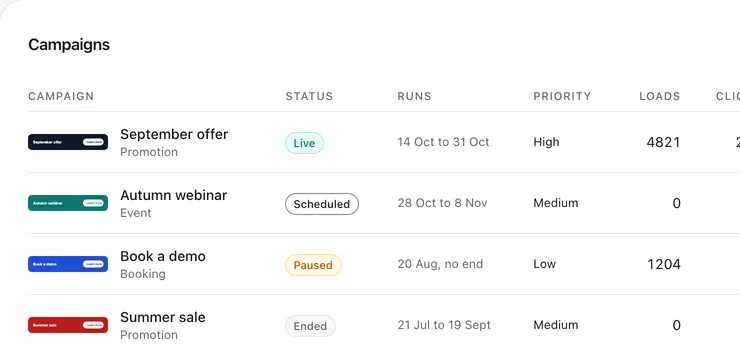
The signature carries a slot rather than a banner, and what fills it is decided when the email is opened. Change a live campaign without asking anyone to paste their signature again.
- Nine campaign types, each with start and end dates
- High, medium and low priority, resolved when two overlap
- Loads, clicks and click-through rate per campaign
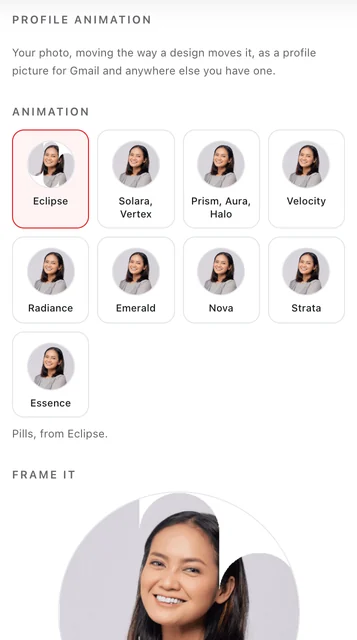
An animated profile picture
The same motion your signature uses, re-run over your photo and cropped to a square you can download and use anywhere.
- 400x400, with the finished photo as the first frame
- Drag to frame it before you download
- Works where a platform shows a still, because the still is the photo
Install guides that tell the truth
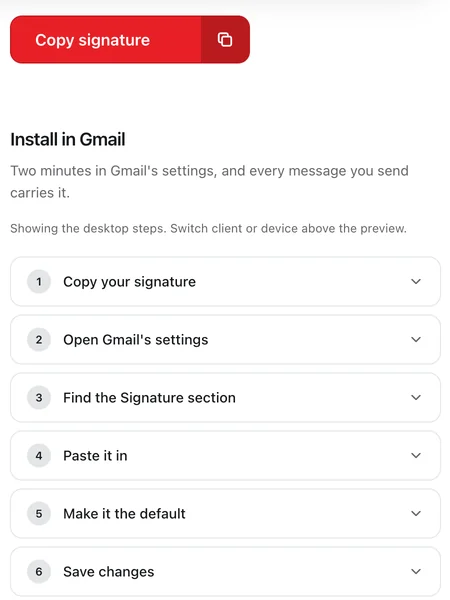
Gmail, Outlook, Apple Mail and more, on the desktop and on the phone, step by step.
- Each client and device has its own guide
- The mobile guides say plainly where an app can only hold plain text
- Copy once and paste, with nothing to install at the reader's end
Knowing what it did
Measured, never guessed, and never an open pixel.
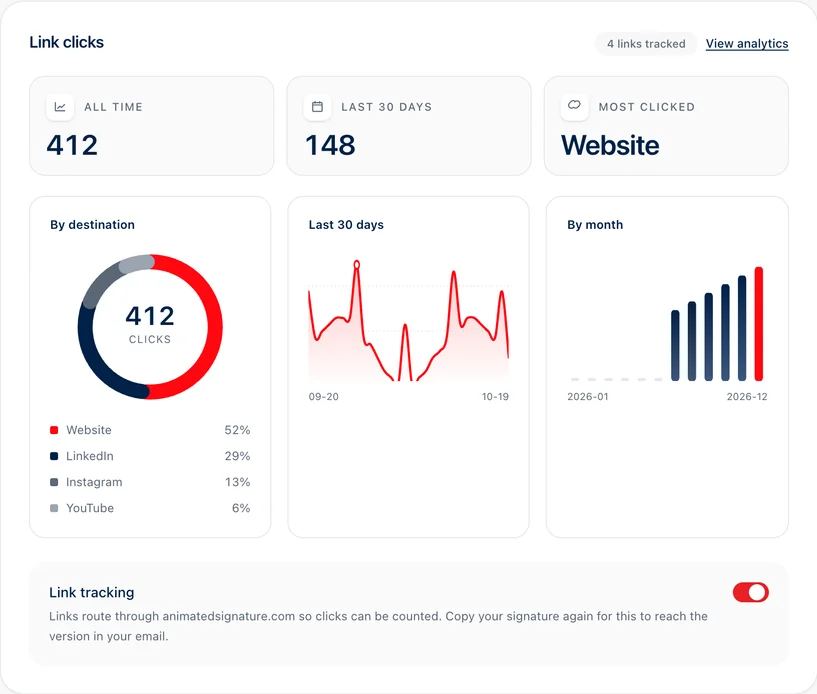
Clicks, counted honestly
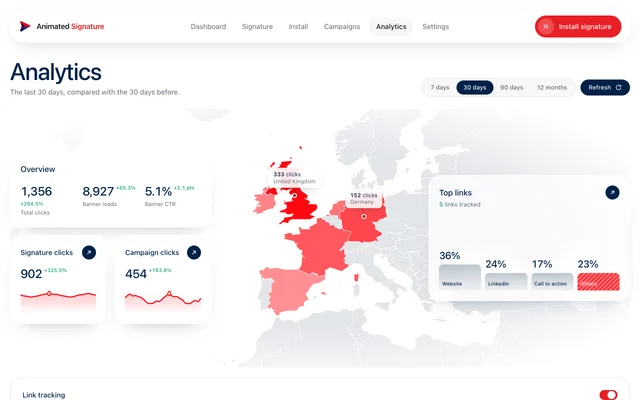
Links in your signature are counted when a recipient chooses to follow one. Opens are never tracked and no pixel is ever added.
- Switch link tracking off whenever you like
- A tracked link keeps its address for the life of the email it is in
- Top links, and which of them are working
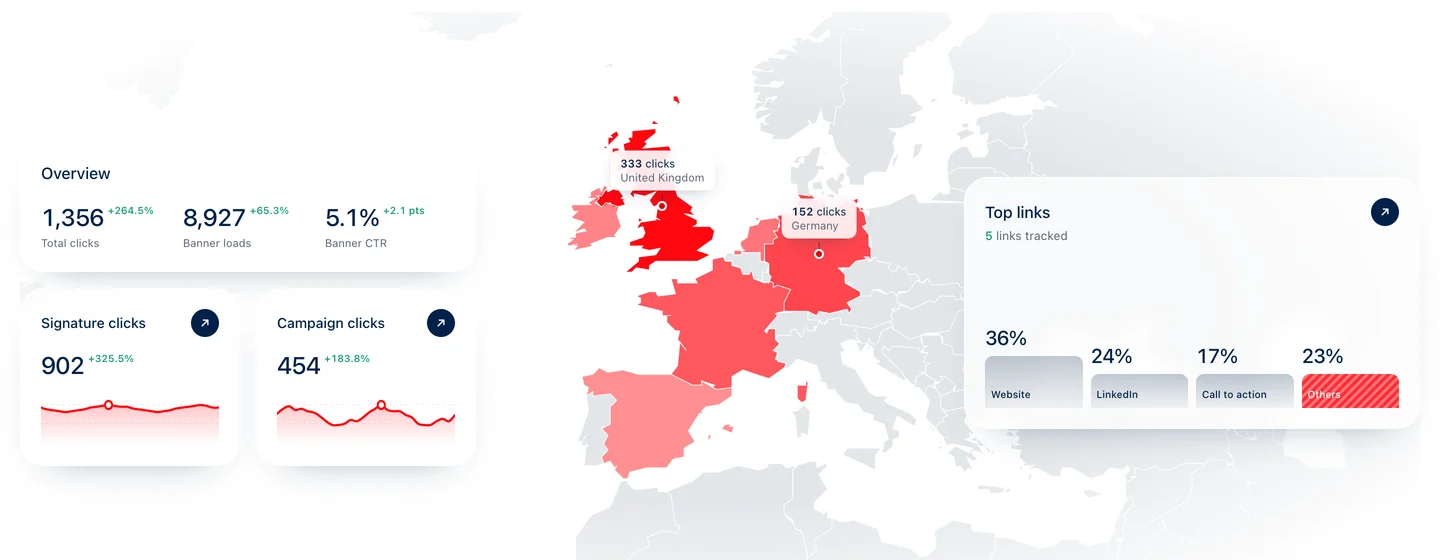
Where a click came from
A country and whether it was a phone or a computer, kept as a count per day. No address, no user agent, nothing that is a person.
- A world map of the countries clicks came from
- A heatmap by day and hour, in your own time zone
A range you choose
The last 7, 30 or 90 days, or twelve months, each against the same span before it, so a number has something to be compared with.
- Days, weeks or months on the chart
- Banner loads beside clicks, with the difference explained